Overview
Have an idea that could improve the Surge Theme? We’d love to hear it! ?
The Suggestions board inside the CRA Community is where you can share feature requests, enhancements, and quality-of-life improvements for Surge. You can also vote on other ideas so the most impactful updates get prioritized by our team.
This quick guide will walk you through posting your own Surge Theme suggestion.
Step-by-Step Instructions
Step 1: Go to the Suggestions page
Log in to the CRA Portal.
From the top navigation, click Community.
Select SURGE → Suggestions.
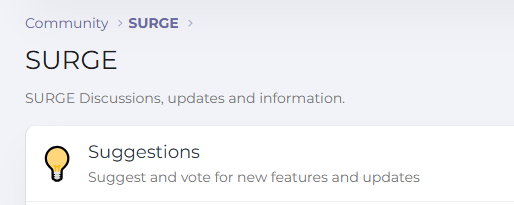
You’ll land on the Suggestions board, where all feature requests and ideas are listed.
Step 2: Check for existing ideas (recommended)
Before creating a new post:
Scroll or search to see if your idea already exists.
If it does, simply upvote or comment instead of creating a duplicate.
This helps keep feedback organized and increases visibility.
Step 3: Create a new suggestion
Click the Post thread button (top-right corner).

Enter a clear Thread Title
Example: Add sticky mobile Add-to-Cart button
Add details in the Description
Include:What you want added or improved
Why it’s helpful
Any examples or screenshots (if available)
The more context you provide, the easier it is for our team to evaluate.
Step 4: Submit
Click Post to publish your suggestion.
Your idea is now live for the community to:
Vote
Comment
Discuss
Tips for better suggestions
✅ Be specific
✅ Explain the benefit or use case
✅ Include screenshots or references
✅ Keep one idea per post
After posting
You can:
Track replies
Mark as read
Watch the thread for updates
See votes increase
Our team regularly reviews the most upvoted suggestions when planning improvements.
Need help?
If you run into any issues or have questions, feel free to create a support ticket or reach out to us — we’re happy to help!
Was this article helpful?
That’s Great!
Thank you for your feedback
Sorry! We couldn't be helpful
Thank you for your feedback
Feedback sent
We appreciate your effort and will try to fix the article