Welcome! The Conversion Rate Academy (CRA) portal is your hub for lessons, templates, expert feedback, and all the resources you need to improve your landing pages. Follow these steps to get started:
Step 1: Purchase Your CRA Access
You can access the CRA portal in two ways:
Purchase a CRA Membership directly from conversionrateacademy.com.
Get CRA access as a bonus when you purchase the Surge Theme for your Shopify store.
? Once your purchase is complete, you’ll receive a welcome email with instructions to create your CRA account.
Step 2: Create Your CRA Account
Open the welcome email from CRA.
Click the “Create Account” button/link in the email.
Set your password and fill in your details.
Confirm your account via the verification email if prompted.
✅ Tip: Check your spam/junk folder if you don’t see the email in your inbox.
Step 3: Log In to the CRA Portal
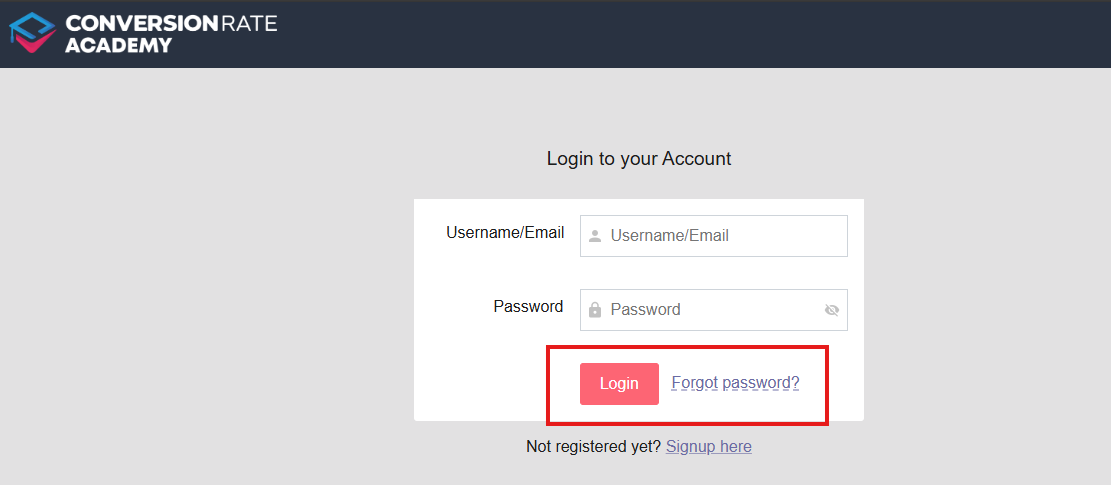
Visit the CRA portal login page.
Enter your email and password.
Click “Log In” to access your dashboard.
From your dashboard, you can navigate lessons, download templates, submit pages for feedback, and track your progress.
Step 4: Troubleshooting Login Issues
Forgot your password? Click “Forgot Password” on the login page to reset it.
Email not received? Make sure you purchased CRA access or the Surge Theme bonus, and check your spam/junk folder.
Still having trouble? Submit a support ticket from the CRA Help Center, our team will help you get back on track.
Need More Help?
Explore the CRA Help Center for guides on:
Navigating your dashboard
Submitting pages for expert feedback
Downloading templates and resources
Or reach out to our friendly support team anytime.
Was this article helpful?
That’s Great!
Thank you for your feedback
Sorry! We couldn't be helpful
Thank you for your feedback
Feedback sent
We appreciate your effort and will try to fix the article